Cinelink Film Screening Setup
1 hour prior to the screening:
Go into the auditorium to set up the cinema system.
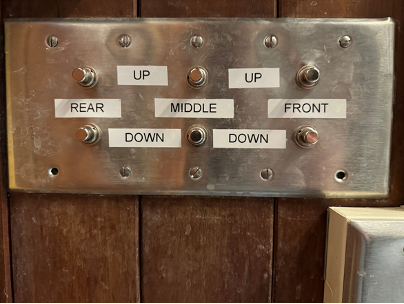
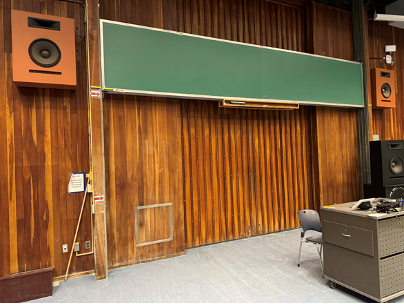
- Using the controls to the left of the chalkboards, raise all three boards to their maximum height.
 |  |
- Retrieve the speaker from the house right closet using key LAC3 on the Hoyt keyring.
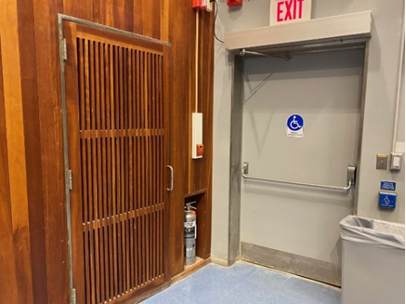
- Open the sliding wooden doors behind the chalkboards. On the house right, you will see the connection point for the speaker.
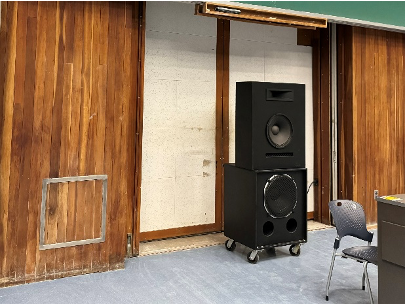 | 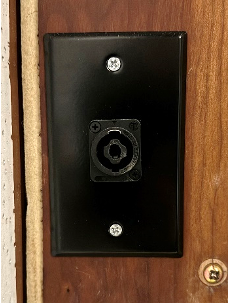 |
- Plug the Speakon connector into the connection point
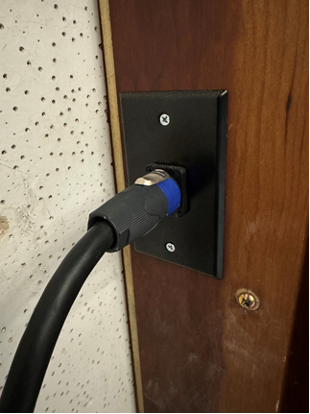
- Center the speaker, and use the touch panel controls to lower the center projection screen to just above the top of the speaker.
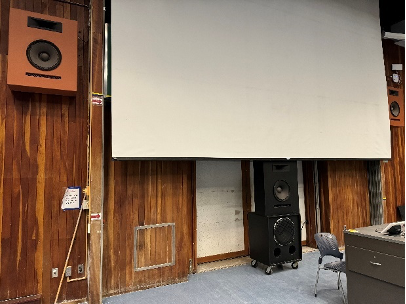 | 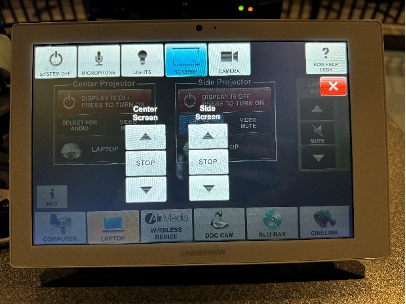 |
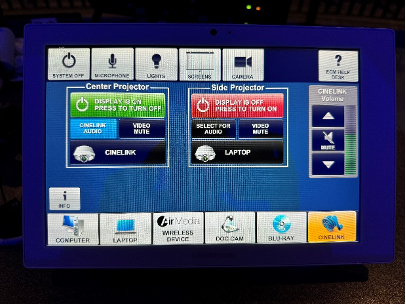
- Select Cinelink as the source, and send it to the center projector.
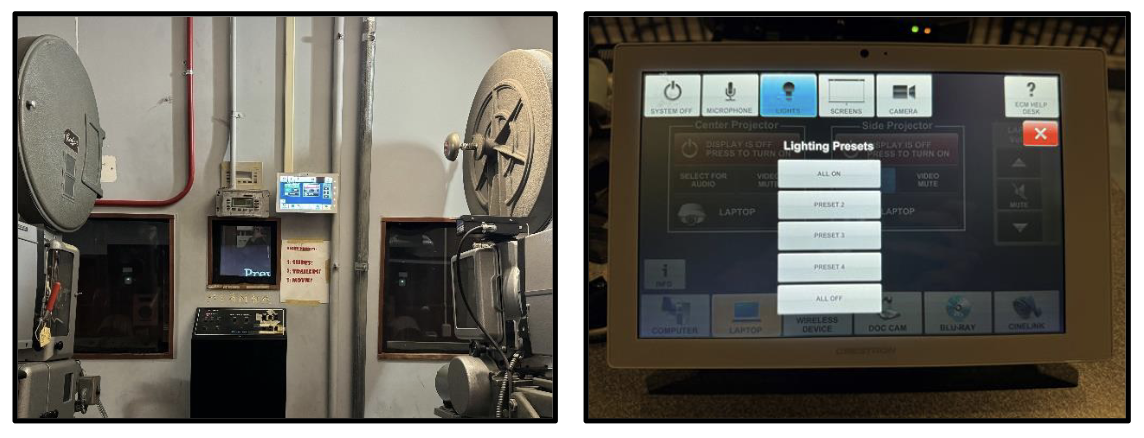
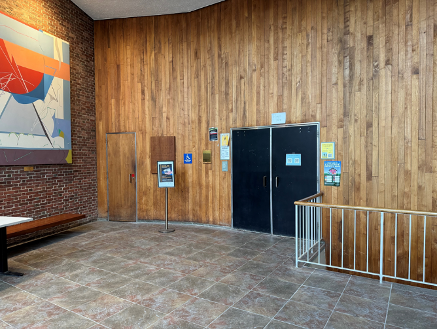
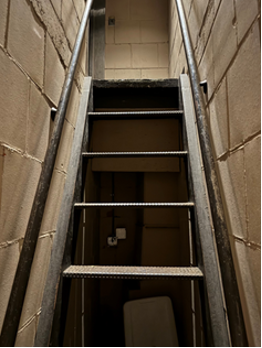
- Go into the Hoyt lobby. Unlock the door to the booth using key LAC3 on the Hoyt keyring. Climb the ship ladder to enter the booth. Once you have climbed the stairs, there is a light switch around the corner. There are also sliding light switches in the center of the room, and another by the racks.
 |  |
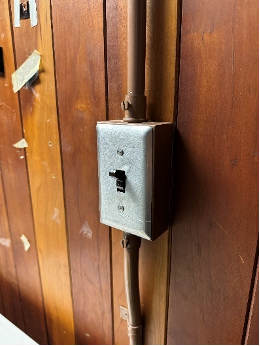 | 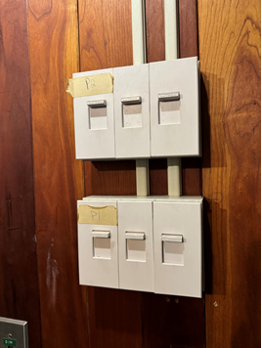 | 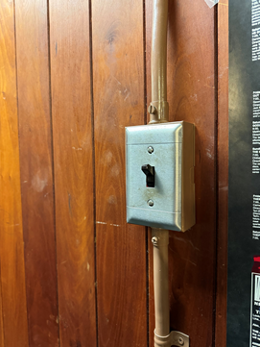 |
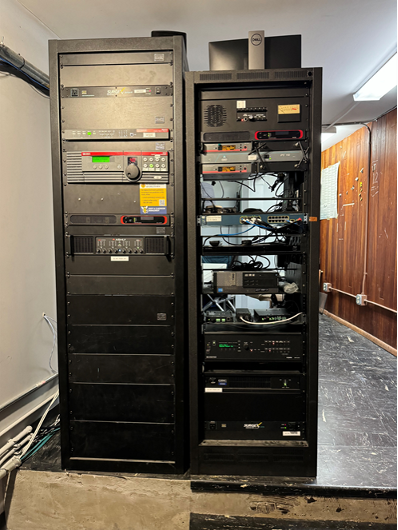
- Walk behind the two racks. You will find the Cinelink remote on a shelf in the shorter rack. It will be surrounded by red tape. Always return the remote to this location when you are done using it.
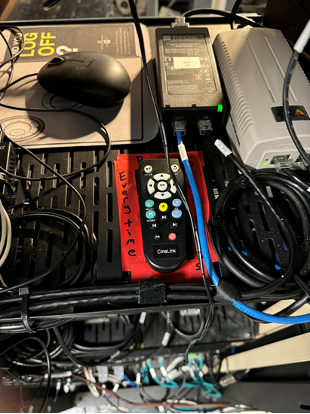 | 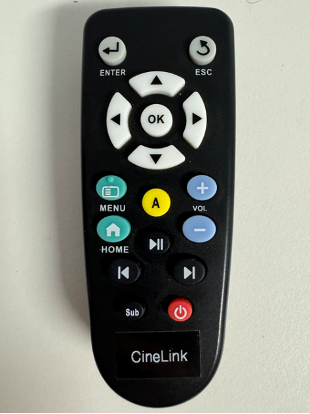 |
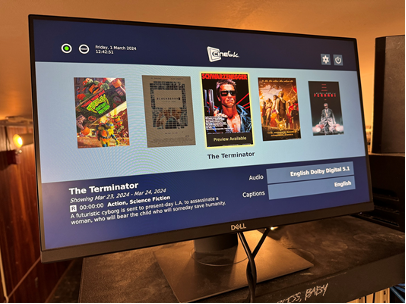
- Use the remote to navigate Cinelink, which should be displayed on the monitor on the back of the A/V rack.
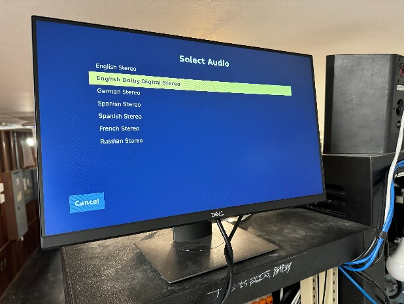
- Select the correct movie
- Audio: Select the option with the most audio channels
(For example, choose ‘Dolby 5.1’, instead of just ‘English Stereo’ or ‘Dolby Digital’.) - Captions: English
 |  |  |
- Play the movie to ensure that the volume level is acceptable and that captions are on. Adjust the volume on the touch panel if necessary. Once you have previewed the film, stop it and return to the Cinelink menu screen.
- Dim the lights to the ‘Film Screening’/PRESET 4 lighting preset on the touch panel.
When it is time to start the movie, press the ‘ALL OFF’ lighting preset.
Note: There is a touch panel by the windows in the center of the booth, so you do not need to walk down to the lectern to do this.