
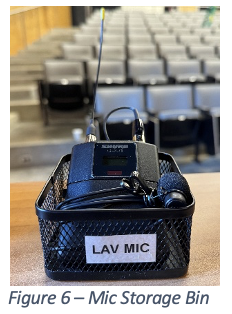
For classrooms with Panopto lecture recordings, you must wear the room-specific microphone, found in the bin labeled ‘Lav Mic’ on the lectern, as shown in Figure 6. If the microphone is missing, contact the ECM Help Desk immediately.
*Note: classrooms in Dewey 2110D and E, Gavett Hall 301, 310, and 312, Hylan Hall, LeChase Hall, Morey 504, and Wilmot 116 do not have a wearable microphone; they are only equipped with ceiling microphones.
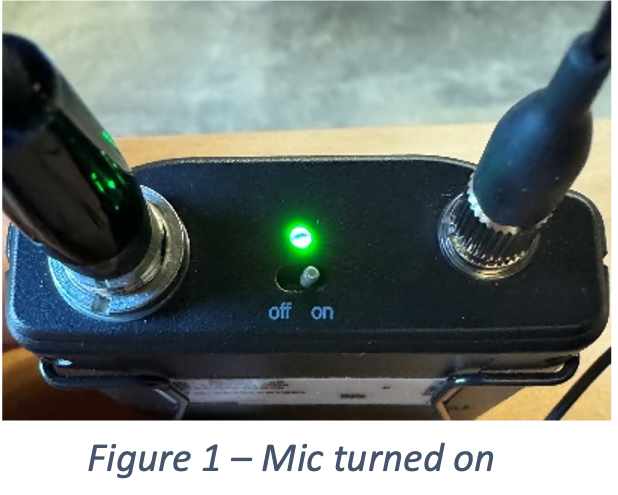
- Locate the microphone and flip the power switch to the ‘On’ position. A green light will appear to indicate the transmitter is powered on, and the display on the face of the transmitter will light up (Figure 1).
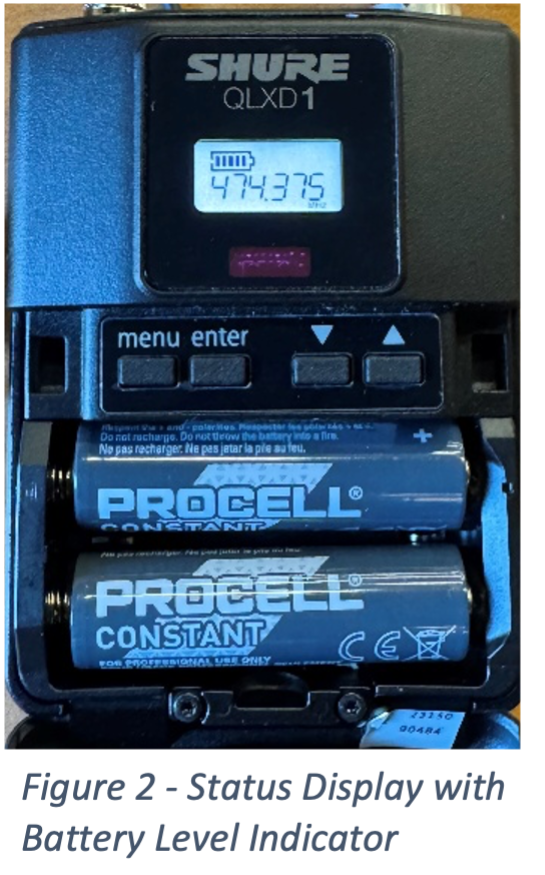
- Check the battery level. Once powered on, the display will reveal a battery icon and current charge (Figure 2). If the charge is below 50%, please swap in fresh batteries, found on the lectern. If you cannot locate fresh batteries, or need assistance, contact the ECM Help Desk.
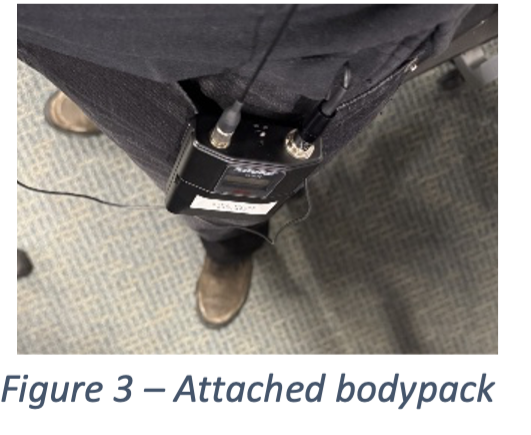
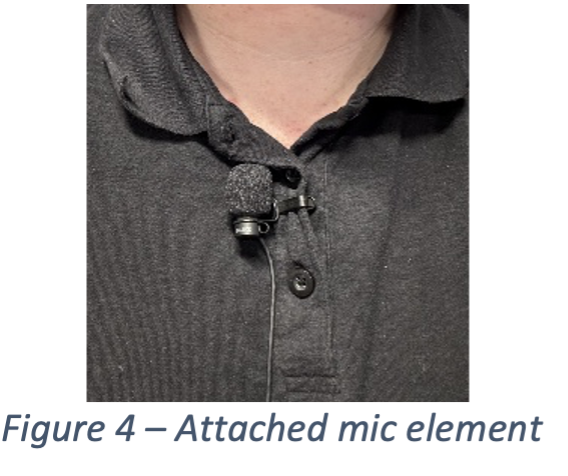
Attach the bodypack to your waistband, pocket, or another comfortable position on your body (Figure 3). Clip the
microphone element to your collar/lapel area. Please ensure there is nothing obstructing the microphone (Figure 4).
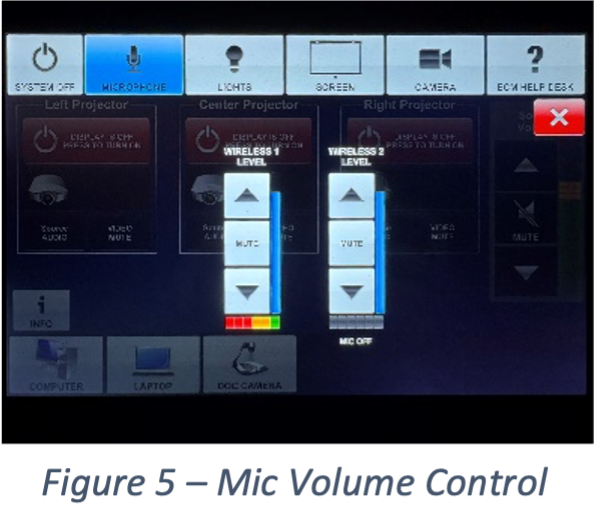
Use the control panel to adjust the microphone volume. Ensure the microphone is not muted. As you speak into the microphone, you should hear your voice amplified in the room. If you do not hear yourself, your voice is not being included in the recording. Once you have ensured that your voice is passing through the system, you may adjust the level to your preference.
*Do not use any buttons on the body pack to adjust level or change channel.When you are done using the microphone, please flip the power switch to the ‘Off’
position and coil the cable around the bodypack as shown in Figure 6.
Place the bodypack back in the bin labeled ‘Lav Mic’
 |  |  |
 |  |  |